Category: TikTok Downloaders

  • How to Save TikTok Videos Without a Watermark: 3 Easy Methods for 2026

    How to Save TikTok Videos Without a Watermark: 3 Easy Methods for 2026

    How to Save TikTok Videos Without a Watermark

    The easiest way to save a TikTok video without a watermark is to use a reputable browser-based TikTok downloader that supports watermark-free downloads. Copy the link to a public video, paste it into the tool, select the clean video option if available, and save the resulting file to your device.

    You can also use TikTok’s built-in download feature, although it does not guarantee a watermark-free video. If you are saving your own content, the original video file may be an even better option because it can preserve the quality of your footage before TikTok’s branding and compression are applied.

    In this guide, you’ll learn three practical methods for saving TikTok videos without a watermark, how to choose the best video quality, and what to consider before reusing a clip on Instagram Reels, YouTube Shorts, or another platform.

    Why Save TikTok Videos Without a Watermark?

    A clean video file can be useful for several reasons, particularly if you create content for multiple platforms.

    Repurpose Videos Across Platforms

    If you publish the same original video on TikTok, Instagram Reels, and YouTube Shorts, a clean source file can make your workflow easier. You can prepare platform-specific versions without carrying a TikTok watermark into every upload.

    For the best results, use your original editing project or exported master file whenever possible.

    Preserve Your Original Content

    Saving your own videos gives you a backup in case you need to edit, archive, or republish them later. Keeping the original file also helps preserve quality that may be lost through platform compression.

    Simplify Video Editing

    A watermark-free source can be easier to work with in a video editor, especially when adding captions, transitions, branding, or other visual elements.

    However, removing a watermark does not transfer ownership of the video or grant permission to republish someone else’s content.

    Method 1: Use an Online TikTok Downloader

    Best for: Saving a public TikTok video quickly without installing an app.

    A browser-based downloader is often the most convenient method if you want to save a supported video on your phone or computer.

    Step 1: Open TikTok and Copy the Video Link

    Find the public TikTok video you want to save.

    1. Open the video.
    2. Tap or click Share.
    3. Select Copy link.

    On a computer, you can usually copy the video URL directly from your browser’s address bar.

    Only download content you own or have permission or another valid legal basis to save.

    Step 2: Open a Watermark-Free Downloader

    Visit an online service that advertises watermark-free TikTok downloads. Examples worth checking include:

    Features may change, so check the current service before using it. A watermark-free download is not guaranteed for every video or every available format.

    Step 3: Paste the TikTok URL

    Find the input field on the downloader’s website and paste your copied link.

    Start processing the link using the site’s download button. If the video is supported, the service should display one or more available download options.

    Step 4: Select the Clean Video Option

    If the service offers several formats, choose the option explicitly described as watermark-free.

    Check the available resolution before downloading. Some tools advertise HD or Full HD output, but the actual quality depends on the original video and the source file available to the service.

    Step 5: Download and Check the File

    Select the download option and save the video.

    On a phone, look in your Downloads folder or file manager. On a computer, check your browser’s download folder.

    Open the file to confirm that the video plays correctly, the audio is synchronized, and the resolution meets your needs.

    Advantages

    • No dedicated app installation required.
    • Convenient on mobile and desktop browsers.
    • Some services offer video and audio formats.

    Limitations

    • Availability and output quality vary.
    • Some sites display intrusive advertisements.
    • Third-party services may process submitted links on their servers.

    Tip: Never provide your TikTok password to a third-party downloader, and avoid suspicious pop-ups or unexpected software installations.

    Method 2: Save the Video Using TikTok’s Built-In Feature

    Best for: Users who prefer the official method and do not necessarily need a watermark-free file.

    TikTok provides a built-in option for saving videos when the creator’s settings allow downloads. This is a straightforward choice if you want to avoid third-party websites.

    How to Save a Video Through TikTok

    1. Open TikTok and navigate to the video.
    2. Tap Share.
    3. Select Save video, if the option is available.
    4. Wait for the download to finish.
    5. Open the saved video in your device’s gallery or Photos app.

    If you cannot see the Save video option, the creator may have disabled downloads or the feature may not be available for that post.

    Does TikTok’s Official Download Remove the Watermark?

    Not necessarily. The built-in feature does not guarantee a watermark-free file.

    If you need a clean version of your own video, look for the original file in your phone’s gallery, editing application, or cloud backup. If you created the video using an editor, exporting the original project may give you better control over quality and branding.

    Advantages

    • Official and straightforward.
    • No external downloader needed.
    • No need to submit the link to a third-party service.

    Limitations

    • Downloads may be disabled for some videos.
    • The saved file may include TikTok branding.
    • Available quality and format options may be limited.

    Method 3: Use Your Original Video File

    Best for: Creators who want the highest-quality clean version of their own content.

    If you uploaded the video yourself, retrieving the original file is often the best approach.

    A source file exported from your editing software generally avoids the additional compression and branding associated with downloading a video from a social platform.

    How to Find Your Original Video

    Check these locations:

    • Your phone’s camera roll or gallery.
    • The export folder used by your video editor.
    • Cloud storage services where you keep project backups.
    • Your computer’s original editing folder.
    • The device you used to record or edit the video.

    If the original is available, export it in a suitable format such as MP4 and choose an appropriate resolution, frame rate, and bitrate.

    What If You No Longer Have the Original?

    You may need to use an available TikTok download or another legitimate source of the file. If you use a third-party downloader, verify the output quality and make sure the service is appropriate for the content you are saving.

    Advantages

    • Usually the best option for preserving original quality.
    • No third-party downloading website required.
    • Greater control over editing and exporting.

    Limitations

    • Only works if you can access the original file.
    • You may need to locate old projects or backups.
    • Export settings can affect the final file size and quality.

    Which Method Is Best for Saving TikTok Videos Without a Watermark?

    The best method depends on whether you are saving your own content or a public video created by someone else.

    MethodWatermark-free resultVideo qualityInstallation requiredBest for
    Online downloaderPossible, depending on the toolDepends on sourceNoQuick downloads
    TikTok built-in featureNot guaranteedDepends on the official downloadNo extra appConvenient official saving
    Original video fileYes, if the original is cleanUsually the best available sourceNo extra app if already savedCreators and editors

    For your own content, start with the original file. For supported public videos that you are authorized to save, a reputable online downloader may be the most convenient alternative.

    How to Download TikTok Videos in HD Without a Watermark

    If video quality matters, do not rely only on a tool’s advertised maximum resolution.

    Use these tips to get the best available result.

    Choose the Highest Available Source Quality

    Some services advertise 1080p downloads, but not every TikTok video is available in Full HD. Select the highest resolution actually offered for the video.

    Avoid Unnecessary Recompression

    Every additional export or conversion can affect quality. If you intend to edit a video, use the cleanest source file available and export only when necessary.

    Check the Aspect Ratio

    Most TikTok videos use a vertical 9:16 format. If you are preparing content for another platform, make sure the final dimensions suit the intended destination.

    Verify the Audio

    Watch the downloaded file before using it. Check that speech, music, and other audio remain synchronized with the video.

    Keep the Original File

    If you create your own videos, save an original master copy. This makes future edits easier and avoids repeated downloads or conversions.

    Can You Reuse Watermark-Free TikTok Videos on Instagram Reels and YouTube Shorts?

    Yes, you can repurpose videos across platforms when you own the content or have the necessary permissions.

    For creators publishing the same original video on TikTok, Instagram Reels, and YouTube Shorts, using a clean master file can help maintain a consistent appearance across platforms.

    Before republishing, consider the following:

    • Copyright: Make sure you have permission to use the footage and any third-party material.
    • Music licensing: Audio permitted on one platform may not be licensed for use on another.
    • Platform guidelines: Check the current rules for each destination.
    • Formatting: Adapt captions, safe areas, and framing to the target platform.
    • Originality: Add meaningful editing or context when appropriate rather than simply reposting content you do not own.

    A watermark-free file can make editing easier, but it does not automatically make the content eligible for monetization or unrestricted redistribution.

    What About Free, No-Login Tools Such as ClipsCap?

    When comparing browser-based video tools, look for a simple workflow, clear quality options, transparent pricing, and no unnecessary account requirements.

    ClipsCap’s currently published product information describes a tool for creating and downloading YouTube clips. Its published free plan lists 720p output and a ClipsCap watermark, so its current public offering should not be presented as a verified TikTok downloader with free 1080p watermark-free downloads unless those capabilities are confirmed in the product.

    If you are evaluating a tool for TikTok, verify these specific features before relying on it:

    • Whether TikTok URLs are supported.
    • Whether watermark-free video output is available.
    • Whether 1080p quality is supported when the source permits it.
    • Whether audio extraction is available.
    • Whether an account is required.
    • Whether the free plan includes the features you need.

    The most useful tool is one that actually supports your intended workflow, rather than one that simply advertises a long feature list.

    Frequently Asked Questions

    How can I save TikTok videos without a watermark for free?

    Use a browser-based downloader that explicitly offers watermark-free downloads for supported public videos. Copy the TikTok link, paste it into the service, choose the appropriate output, and save the file. Availability and quality depend on the service and source.

    What is the easiest way to remove the TikTok watermark?

    For videos you created, using your original exported file is usually the cleanest option. For other supported videos you are authorized to save, a third-party downloader may offer a watermark-free version.

    Can I save TikTok videos without a watermark on an iPhone?

    Yes. You can use a compatible browser-based downloader in Safari or retrieve your original video from Photos or your editing application. The official TikTok download option may also be available, but it does not guarantee a watermark-free file.

    Can I download TikTok videos without a watermark on Android?

    Yes. Browser-based tools work on supported Android browsers, and dedicated applications are another option. Check the service’s current capabilities and install applications only from trusted sources.

    Can I download TikTok videos in 1080p?

    Some services advertise Full HD downloads, but 1080p is available only when supported by the source and downloader. Check the actual file resolution after downloading.

    Why does my downloaded TikTok video still have a watermark?

    The service may not support watermark-free output for that video, or you may have selected a standard download option. Try another legitimate source or use the original file if it is your content.

    Is it legal to remove a TikTok watermark?

    The legal implications depend on the content, permissions, applicable law, and intended use. Removing a watermark does not transfer copyright ownership or grant permission to republish someone else’s work.

    Can I use a watermark-free TikTok video on YouTube Shorts?

    You can use videos you own or are authorized to republish, provided you also have the necessary rights to the music and other included material. A watermark-free file alone does not grant those rights.

    Final Thoughts

    Saving TikTok videos without a watermark is straightforward when you choose the right method.

    For a quick download, a reputable browser-based tool is often the easiest choice. For official saving, TikTok’s built-in feature is convenient when enabled, although it does not guarantee a clean file. If you created the video yourself, retrieving the original file is generally the best way to preserve quality.

    Before downloading, compare the available resolution, output format, privacy practices, and account requirements. And before reposting a video, make sure you have the necessary rights.

    The best solution is not necessarily the one with the most features. It is the one that provides the quality you need, works on your device, and lets you save or reuse content responsibly.
  • Best Free Online Tools for Saving TikTok Content in 2026: 7 Options Compared

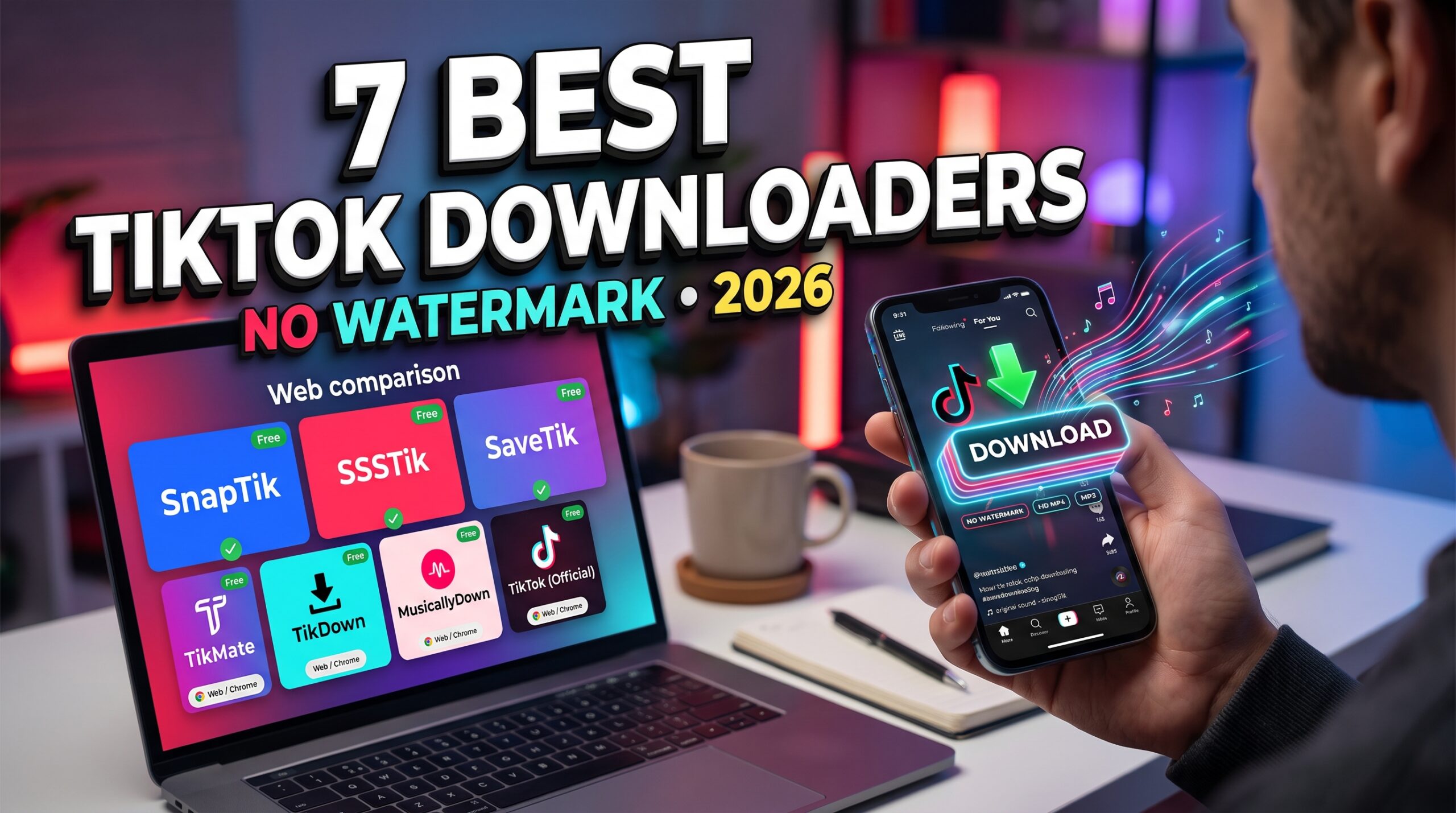
    Best Free Online Tools for Saving TikTok Content in 2026: 7 Options Compared

    What Are the Best Free Online Tools for Saving TikTok Content?

    The best free online tools for saving TikTok content in 2026 include SnapTik, SSSTik, SaveTik, TikMate, and other browser-based downloaders. These services let users save supported public TikTok videos without installing a dedicated application, while some also advertise watermark-free downloads, audio extraction, and slideshow support.

    The right tool depends on what you want to save. If you need a quick MP4 download, a simple browser-based service may be enough. If you want to extract audio, preserve HD quality, or save multiple videos, look for a tool that specifically supports those features.

    In this guide, we compare seven options based on their advertised capabilities, ease of use, device compatibility, and cost. We also explain what to check before downloading, so you can choose a tool that fits your needs without compromising your privacy.

    What to Look for in a Free TikTok Saving Tool

    Not every TikTok downloader offers the same features. Before choosing one, consider these important factors.

    1. Video Quality

    Video quality should be one of your first considerations. Some services advertise HD or Full HD downloads, but the actual resolution depends on the original video and the source files available to the downloader.

    If you want to save a video for editing or offline viewing, look for clear information about the available resolutions and formats.

    2. Watermark-Free Downloads

    Some online tools advertise downloads without the TikTok watermark. This can be useful when saving your own videos for editing or keeping an authorized copy for personal use.

    However, removing a watermark does not remove copyright protection or give you permission to republish someone else’s content.

    3. Audio Extraction

    If you only need the sound from a video, an MP3 extraction feature can save time and storage space. Some tools offer audio-only downloads, although supported formats and quality can vary.

    For music, voice recordings, and other copyrighted audio, make sure you have the necessary rights for your intended use.

    4. Ease of Use

    A good browser-based downloader should have a straightforward workflow: copy a TikTok link, paste it into the tool, select an available format, and save the file.

    Avoid services that introduce unnecessary steps, request your TikTok password, or use misleading download buttons.

    5. Device Compatibility

    Online tools can be especially convenient because they may work on Android, iPhone, Windows, and macOS through a browser. This means you do not necessarily need to install a separate application.

    Check whether the service works with your browser and whether downloaded files are compatible with your device.

    6. Privacy and Security

    Free services may rely on advertising or process submitted links through their own servers. Read the privacy policy, avoid suspicious redirects, and never provide account credentials to a third-party downloader.

    Browser-based access is convenient, but it does not automatically mean that all processing happens locally on your device.

    7 Best Free Online Tools for Saving TikTok Content

    The following options are worth comparing. Features listed here reflect the providers’ advertised capabilities and may change. Video quality, watermark removal, and audio availability are not guaranteed for every post.

    1. SnapTik — Best for Quick Video Downloads

    SnapTik is a browser-based TikTok downloader that advertises watermark-free video downloads. Its online workflow is designed for users who want to save supported videos without installing an application.

    Depending on the service version and source video, additional options may include audio extraction or saving TikTok photo slideshows.

    Key features

    • Watermark-free video downloads advertised by the provider.
    • MP4 downloads for supported videos.
    • Browser access on mobile and desktop.
    • Audio and slideshow features where available.
    • No mandatory account for basic online use.

    Video quality: Depends on the source and available download options.

    Ease of use: Simple link-based workflow.

    Compatibility: Android, iPhone, Windows, and macOS through a supported browser.

    Cost: Free online access, subject to the provider’s current terms.

    Pros

    • No dedicated application required.
    • Convenient for individual downloads.
    • Easy to use across different devices.

    Cons

    • Advertisements may affect the experience.
    • Some links may not process successfully.
    • Available formats can change.

    Best for: Casual users who want to save a supported public TikTok video quickly.

    Explore SnapTik for its currently advertised features.

    2. SSSTik — Best for Video and Audio Options

    SSSTik is another browser-based service that advertises TikTok video downloads without watermarks. It is worth considering if you want a simple workflow for saving videos and, where supported, extracting audio.

    Because the tool works online, you can use it without installing a dedicated downloader.

    Key features

    • Watermark-free downloads advertised by the provider.
    • MP4 video downloads.
    • MP3 audio extraction where supported.
    • Mobile and desktop browser access.
    • No mandatory account for basic use.

    Video quality: Varies with the original content and available output options.

    Ease of use: Beginner-friendly.

    Compatibility: Modern mobile and desktop browsers.

    Cost: Free online service.

    Pros

    • Convenient for occasional downloads.
    • Supports video and audio workflows.
    • No application installation required.

    Cons

    • Advertising may be present.
    • Some videos may be unavailable.
    • Output quality depends on the source and processing method.

    Best for: Users who want to compare video and audio download options in one browser-based tool.

    Visit SSSTik to review its current features.

    3. SaveTik — Best for a Simple Browser Experience

    SaveTik provides an online option for saving supported TikTok videos. Like other browser-based downloaders, it allows users to submit a video link and access the available download options without installing a dedicated application.

    Its appeal is simplicity: users who only need occasional downloads may not require a more advanced media manager.

    Key features

    • Online video processing.
    • Watermark-free downloads advertised by the service.
    • Browser access on compatible devices.
    • No mandatory application installation.

    Video quality: Depends on the original video and the options offered by the service.

    Ease of use: Simple.

    Compatibility: Mobile and desktop browsers.

    Cost: Check the provider’s current terms for available free features.

    Pros

    • Straightforward workflow.
    • Useful as an alternative to other online downloaders.
    • No dedicated application required.

    Cons

    • Supported formats may vary.
    • Reliability can differ between links.
    • Privacy practices should be reviewed before use.

    Best for: Users who want a straightforward alternative for saving supported public videos.

    Check SaveTik for its current offering.

    4. TikMate — Best as an Alternative Online Downloader

    TikMate is a name associated with browser-based TikTok downloading services. Depending on the exact website, available features may include video downloads and watermark-free output.

    Because similarly named services may use different domains and have different operators, verify the website carefully before submitting any link.

    Key features

    • Browser-based downloading.
    • Watermark-free output advertised by some versions.
    • Mobile and desktop browser support.
    • No dedicated app required for browser-based use.

    Video quality: Depends on the service and source.

    Ease of use: Generally simple.

    Compatibility: Supported mobile and desktop browsers.

    Cost: Depends on the provider’s current terms.

    Pros

    • An alternative when another service is unavailable.
    • No app installation for online versions.
    • Suitable for occasional use.

    Cons

    • Features may differ across similarly named websites.
    • Advertising and privacy practices require checking.
    • No universal guarantee of HD output.

    Best for: Users who want to compare another browser-based option.

    Before using a TikMate-branded service, confirm its exact domain, privacy policy, and current capabilities.

    5. TikDown — Best for Another Quick Online Option

    TikDown is another name used by online TikTok downloading services. Depending on the particular provider, users may be able to process supported TikTok links and save available video files.

    As with any third-party downloader, confirm the website’s identity and check its feature claims rather than assuming every version offers the same functions.

    Key features

    • Online video download workflow.
    • Video format options where supported.
    • Mobile and desktop browser access.
    • No application required for browser-based services.

    Video quality: Determined by the available source and service.

    Ease of use: Typically simple for supported links.

    Compatibility: Depends on the selected website.

    Cost: Check the provider’s current pricing and limits.

    Pros

    • Another option to compare.
    • Browser-based access can reduce setup.
    • Useful for occasional downloads.

    Cons

    • The name may refer to different services.
    • Watermark removal and MP3 support require verification.
    • Supported links and quality may vary.

    Best for: Users who want to evaluate alternatives when their preferred downloader is unavailable.

    6. MusicallyDown — Best for a Traditional Link-Based Workflow

    MusicallyDown is a name associated with online TikTok video downloading. Its appeal is the familiar browser-based approach: users submit a supported link and select an available download option.

    Before using it, verify the current domain and inspect the options actually displayed. Third-party downloader services can change features, availability, and ownership over time.

    Key features

    • Link-based online workflow.
    • Video downloads for supported posts.
    • Browser access without a dedicated app.
    • Output options depending on the service version.

    Video quality: Depends on the source and current service.

    Ease of use: Simple when the link is supported.

    Compatibility: Compatible browsers on supported devices.

    Cost: Check the current service terms.

    Pros

    • Familiar workflow.
    • No dedicated app required.
    • Can be compared with other browser-based services.

    Cons

    • Current features should be verified.
    • Watermark-free output is not guaranteed for every link.
    • Privacy and advertising practices may vary.

    Best for: Users comparing several online services before choosing one.

    7. TikTok’s Built-In Download Feature — Best Official Method

    TikTok provides an official way to save certain videos directly through its application when the creator’s settings allow downloads.

    Although it may not satisfy the requirement for a watermark-free file, it is a useful option for users who want to avoid third-party services.

    Key features

    • Official TikTok functionality.
    • Direct saving when downloads are enabled.
    • No third-party downloader needed.
    • Simple in-app workflow.

    Video quality: Depends on the available official download.

    Ease of use: Very easy.

    Compatibility: Supported versions of the TikTok application.

    Cost: Free.

    Pros

    • No external downloader required.
    • Familiar and straightforward.
    • Respects the platform’s download settings.

    Cons

    • Not every video can be saved.
    • Watermark-free output is not guaranteed.
    • Fewer format choices than specialized services.

    Best for: Users who prefer the official method and do not require watermark removal.

    For details, consult the TikTok Help Center.

    Comparison Table: Best Free TikTok Saving Tools

    ToolBrowser-basedWatermark-free optionAudio extractionCost
    SnapTikYesAdvertisedDepends on current optionsFree
    SSSTikYesAdvertisedAdvertisedFree
    SaveTikYesAdvertisedVerify current featuresCheck terms
    TikMateYes, for online versionsDepends on providerVerify current featuresCheck terms
    TikDownYes, for online versionsVerify current featuresVerify current featuresCheck terms
    MusicallyDownYes, for online versionsVerify current featuresVerify current featuresCheck terms
    TikTok built-in downloadNo third-party site neededNot guaranteedNo standard MP3 extractionFree

    This is a feature-oriented comparison, not a verified speed benchmark. Confirm the selected service’s current features before downloading.

    How to Save TikTok Content Online

    Most online downloaders use a similar process.

    Step 1: Copy the TikTok link

    Open a public TikTok post you own or have permission to save. Select Share, then choose Copy link.

    Step 2: Open an online downloader

    Visit a service you have checked and trust. Make sure the domain is correct and the site does not ask for your TikTok password.

    Step 3: Paste the link

    Enter the copied URL into the downloader’s input field and start processing.

    Step 4: Choose a format

    If multiple options are available, select the MP4 video or supported audio format that meets your needs. Check the displayed resolution before downloading.

    Step 5: Save the file

    Follow the browser’s download prompt. On mobile, you can usually find the file in the Downloads folder or the device’s file manager.

    If a link fails, the video may be private, deleted, restricted, or unsupported by the service.

    Can You Save TikTok Videos in 1080p Without a Watermark?

    Some third-party downloaders advertise watermark-free downloads at up to 1080p. However, the actual result depends on the source video, the downloader’s access to the available media, and its processing method.

    Keep these points in mind:

    • 1080p is a maximum claim, not a guarantee. Not every source video is available in Full HD.
    • Removing a watermark does not improve resolution. A clean-looking file may still have been compressed.
    • Audio quality is separate from video quality. MP3 bitrate options, when available, depend on the service’s audio-processing capabilities.

    If you need a high-quality file for editing, check the downloaded video’s actual resolution and playback quality rather than relying solely on the service’s headline claims.

    Are Free Online TikTok Downloaders Safe?

    Some are convenient, but you should not assume every downloader is safe simply because it works in a browser.

    Use these precautions:

    1. Never provide your TikTok password to a third-party downloader.
    2. Avoid suspicious pop-ups and fake download buttons.
    3. Do not install unknown software or browser extensions just to save a video.
    4. Review the website’s privacy policy and data-retention practices.
    5. Avoid submitting sensitive or private content to services you do not trust.

    For the safest experience, use the official TikTok download option when it meets your needs. If you choose a third-party tool, check its identity and current practices before using it.

    Is It Legal to Save TikTok Content Without a Watermark?

    The answer depends on the content, your intended use, the permissions you have, and applicable law.

    Saving your own video for backup is different from republishing another creator’s video or using copyrighted music in a commercial project. A watermark-free download does not transfer ownership or remove copyright restrictions.

    Before reposting or commercially using a video, obtain the necessary permissions and review the relevant platform policies. TikTok’s Copyright Policy provides additional information about copyrighted content.

    Frequently Asked Questions

    What are the best free online tools for saving TikTok content?

    SnapTik, SSSTik, and SaveTik are browser-based options worth comparing for supported public TikTok videos. Other services may also be available, but their features, domains, and privacy practices should be checked before use.

    Can I save TikTok videos without installing an app?

    Yes. Browser-based downloaders let you submit supported TikTok links without installing a dedicated application. The available download formats depend on the service and video.

    Which TikTok downloader provides the best video quality?

    There is no single downloader that guarantees the highest quality for every post. Choose a service that clearly displays available resolutions, and remember that the original source limits the maximum quality.

    Can I extract MP3 audio from TikTok videos?

    Some third-party downloaders advertise MP3 extraction. Availability and bitrate options vary. Make sure you have the appropriate rights to save and use the audio.

    Are free TikTok saving tools available for iPhone and Android?

    Yes. Browser-based services can work on supported mobile browsers, including Safari and Chrome. Dedicated Android downloaders are another option, but they require installation and may have different compatibility limitations.

    Do I need an account to use a TikTok downloader?

    Many browser-based services advertise basic downloading without registration. Avoid any service that requests your TikTok login credentials for ordinary public-video downloads.

    Can I download private TikTok videos?

    Third-party public-link downloaders generally cannot access private or restricted videos. Respect privacy settings and do not attempt to bypass access controls.

    Can I repost a video after removing its watermark?

    Not automatically. Downloading a video or removing its watermark does not give you permission to redistribute it. Obtain the necessary authorization and follow applicable copyright rules.

    Final Verdict: Which Free TikTok Saving Tool Should You Choose?

    The best free online tool for saving TikTok content depends on your priorities.

    For a quick browser-based download, SnapTik and SSSTik are reasonable starting points. SaveTik offers another alternative, while TikMate, TikDown, and MusicallyDown are options to evaluate after checking their current features. TikTok’s built-in download feature is preferable when you want to use the official method and do not need a watermark-free file.

    Before choosing, compare video quality, available audio formats, device compatibility, privacy, and any limitations on free use. No single service guarantees that every video will be downloadable in every format.

    Ultimately, a useful TikTok saving tool should make the process straightforward, explain its limitations clearly, and respect creators’ rights. Choose the option that meets your requirements without unnecessary installation, account registration, or security risks.

  • 7 Best Apps for Downloading TikTok Videos Without Watermarks in 2026

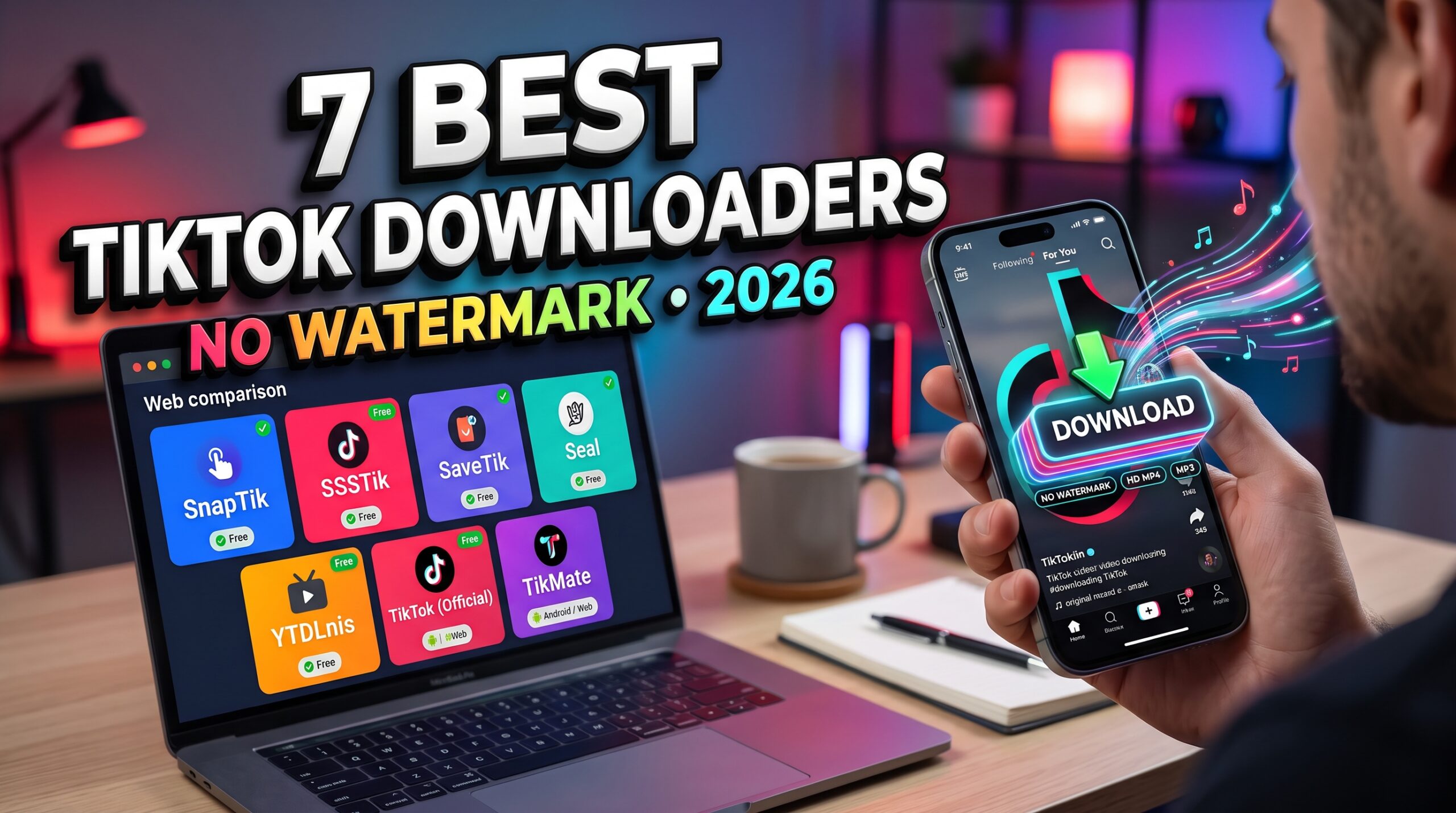
    7 Best Apps for Downloading TikTok Videos Without Watermarks in 2026

    What Are the Best Apps for Downloading TikTok Videos Without Watermarks?

    The best options for downloading TikTok videos without watermarks in 2026 include SnapTik, SSSTik, SaveTik, Seal, YTDLnis, and other browser-based or Android downloading tools. The right choice depends on whether you prefer a quick online download, a dedicated Android app, or an open-source tool with more control over video formats.

    For most casual users, a browser-based downloader is the simplest option because it requires no installation. If you regularly save videos or need additional features such as download management, audio extraction, and batch processing, a dedicated application may be more convenient.

    Here are seven options worth considering:

    • SnapTik: A browser-based option for quick, watermark-free downloads.
    • SSSTik: A popular choice for MP4 video and MP3 audio downloads.
    • SaveTik: An alternative for saving public TikTok videos online.
    • Seal: An open-source Android downloader with advanced options.
    • YTDLnis: An Android download manager offering extensive controls.
    • TikTok’s built-in download feature: The official option for saving videos when downloads are enabled.
    • TikMate: Another browser-based alternative for downloading public TikTok videos.

    The following comparison explains what each option offers, its limitations, and which type of user may benefit most.

    How We Compared These TikTok Downloaders

    To make this comparison useful, we considered five factors:

    1. Video quality: Whether the service offers HD options and preserves the quality available from the source.
    2. Watermark-free downloads: Whether the provider advertises clean video exports.
    3. Ease of use: How many steps are needed to save a video.
    4. Device compatibility: Whether the option works on Android, iPhone, Windows, or macOS.
    5. Cost: Whether basic downloading is free or requires a subscription.

    Features can change over time, and advertised quality is not a guarantee that every video will be available in 1080p. The rankings below are practical recommendations based on the tools’ stated capabilities, not a controlled laboratory speed test.

    1. SnapTik — Best for Quick Online Downloads

    Best for: Casual users who want to download public TikTok videos without installing an app.

    SnapTik is a browser-based TikTok downloader that advertises watermark-free MP4 downloads. It also offers audio extraction and support for TikTok photo slideshows, depending on the version of the service.

    Its main advantage is convenience. You do not need to install a dedicated application or create an account to use the basic online workflow.

    Key features

    • Watermark-free MP4 downloads advertised by the provider.
    • Available video quality depends on the source.
    • Audio extraction options.
    • Browser access on mobile devices and computers.
    • No mandatory account for the basic service.

    Video quality: The best available source quality, subject to the individual video and available download options.

    Ease of use: Easy. Copy a TikTok link, paste it into the website, and select an available download option.

    Compatibility: Android, iPhone, Windows, macOS, and other devices with a supported browser.

    Cost: Free online access, with advertising depending on the service version.

    Pros

    • No app installation required.
    • Simple process for individual videos.
    • Useful for occasional downloads.

    Cons

    • Website versions and advertising experiences can vary.
    • Some links or restricted videos may fail to process.
    • Not a full download-management application.

    You can explore SnapTik to review its currently advertised features.

    2. SSSTik — Best for Video and Audio Downloads

    Best for: Users who want to save public TikTok videos or extract their audio.

    SSSTik is another established name in the online TikTok downloading category. Its service advertises watermark-free video downloads and MP3 extraction, making it useful when you want a video file or an audio-only version.

    Because it operates through a browser, there is no need to install a separate application for basic downloading.

    Key features

    • Watermark-free MP4 downloads advertised by the provider.
    • HD quality when available.
    • MP3 audio extraction.
    • Browser-based access.
    • No account required for basic use.

    Video quality: Varies according to the source and available processing options.

    Ease of use: Simple link-based workflow.

    Compatibility: Mobile and desktop browsers.

    Cost: Free online service.

    Pros

    • Video and audio options in one place.
    • No dedicated application required.
    • Convenient for occasional downloads.

    Cons

    • Advertising may interrupt the experience.
    • Quality and processing reliability can vary.
    • Private TikTok videos are not available through ordinary public-link downloading.

    Visit SSSTik to check its current download options.

    3. SaveTik — Best for a Straightforward Browser Experience

    Best for: Users who prefer a simple alternative to other online downloaders.

    SaveTik is a browser-based service designed to save public TikTok videos. Depending on the current version, it advertises watermark-free video downloads and audio-related options.

    Its main benefit is accessibility: users can open the service on a phone or computer without installing a dedicated downloader.

    Key features

    • Online TikTok video processing.
    • Watermark-free downloads advertised by the provider.
    • Support for compatible mobile and desktop browsers.
    • No mandatory application installation.

    Video quality: Depends on the source and options available for each video.

    Ease of use: Beginner-friendly.

    Compatibility: Android, iPhone, Windows, and macOS through a browser.

    Cost: Free online access, subject to the provider’s current terms.

    Pros

    • Simple interface and workflow.
    • Works without installing a mobile app.
    • Useful as an alternative if another downloader is unavailable.

    Cons

    • Supported formats may vary.
    • Advertising and download reliability can change.
    • Advanced download-management features may be limited.

    Check SaveTik for its current features before using it.

    4. Seal — Best Open-Source Android Option

    Best for: Android users who want more control over downloading and media formats.

    Seal is an open-source Android application built around yt-dlp, a media downloading tool. Rather than being a TikTok-only service, it supports a broader range of websites and media sources.

    Depending on the source and extraction method, Seal may allow users to download compatible media streams, select formats, and manage more advanced options than a basic web downloader.

    However, a clean TikTok download is not guaranteed for every link. Results depend on the media source, available streams, and the tool’s current support.

    Key features

    • Open-source Android application.
    • Support for multiple media sources.
    • Format and download options.
    • Audio extraction for supported media.
    • More control over download settings than many simple websites.

    Video quality: Depends on the formats and streams available from the source.

    Ease of use: Moderate. Initial setup and format selection may be less intuitive for beginners.

    Compatibility: Android.

    Cost: Free and open source.

    Pros

    • More control over downloading.
    • Suitable for users who download media regularly.
    • Open-source project with publicly available code.

    Cons

    • Android-focused rather than a universal web service.
    • Some sources may require troubleshooting.
    • Users should obtain the application from a trusted project source.

    For more information, visit the Seal project on GitHub.

    5. YTDLnis — Best for Advanced Download Controls

    Best for: Android users who want a dedicated download manager with additional configuration options.

    YTDLnis is another open-source Android application based on yt-dlp. It is designed for downloading media from supported websites and offers a more feature-rich approach than pasting a link into a simple online form.

    Depending on the source, users can access different formats and configure aspects of their downloads. This makes it more suitable for frequent users who are comfortable exploring application settings.

    Key features

    • Open-source Android download manager.
    • Multiple media-source support.
    • Configurable download options.
    • Audio and video downloads where supported.
    • More advanced controls than a basic browser-based downloader.

    Video quality: Determined by the available source formats and download configuration.

    Ease of use: Moderate to advanced.

    Compatibility: Android.

    Cost: Free and open source.

    Pros

    • Flexible download configuration.
    • Suitable for users who save media regularly.
    • Broader functionality than a single-purpose downloader.

    Cons

    • Requires installation.
    • More settings can create a learning curve.
    • TikTok compatibility may change as the platform changes its delivery methods.

    Explore the YTDLnis project on GitHub for installation information and current capabilities.

    6. TikTok’s Built-In Download Feature — Best Official Option

    Best for: Users who want to save videos directly through TikTok.

    TikTok includes a built-in download feature for videos when the creator’s settings permit it. This is the most straightforward official method because you do not have to visit a third-party website or install another application.

    However, the availability of downloads depends on the video’s settings, and the saved video may include TikTok branding. Therefore, this option does not meet every user’s requirement for a watermark-free file.

    Key features

    • Official TikTok functionality.
    • Direct saving from the app when enabled.
    • No third-party downloader required.
    • Simple process for supported videos.

    Video quality: Depends on the available official download.

    Ease of use: Very easy.

    Compatibility: TikTok’s supported mobile applications and features.

    Cost: Free.

    Pros

    • No third-party downloader required.
    • Straightforward and familiar process.
    • Respects the platform’s built-in availability settings.

    Cons

    • Not every video can be downloaded.
    • Does not guarantee a watermark-free result.
    • Provides fewer format choices than specialized downloaders.

    For instructions and account settings, consult the official TikTok Help Center.

    7. TikMate — Best as an Alternative Online Downloader

    Best for: Users who want another browser-based option for public TikTok videos.

    TikMate is a name used by online TikTok downloading services. Depending on the particular website, the service may offer video downloads without a watermark and additional format options.

    Because similarly named services and domains can differ, check that you are using the intended website and review its current features before submitting a link.

    Key features

    • Browser-based video downloading.
    • Watermark-free output advertised by some versions.
    • No dedicated app required for basic online use.
    • Compatibility with supported mobile and desktop browsers.

    Video quality: Depends on the specific service and source video.

    Ease of use: Generally straightforward for link-based services.

    Compatibility: Modern browsers on supported devices.

    Cost: Check the selected website’s current terms.

    Pros

    • Another option if your primary downloader is unavailable.
    • No app installation for browser-based versions.
    • Suitable for occasional use.

    Cons

    • Feature availability varies between services.
    • Some similarly named sites may not be affiliated with each other.
    • Privacy practices and advertising should be checked carefully.

    Before using any TikMate-branded website, confirm its exact domain and published privacy policy rather than relying on the name alone.

    Comparison Table: Which TikTok Downloader Is Best?

    ToolTypeWatermark-free optionDevice compatibilityCost
    SnapTikWeb toolAdvertisedMobile and desktopFree
    SSSTikWeb toolAdvertisedMobile and desktopFree
    SaveTikWeb toolAdvertisedMobile and desktopFree
    SealAndroid appSource-dependentAndroidFree
    YTDLnisAndroid appSource-dependentAndroidFree
    TikTok built-in downloadOfficial featureNot guaranteedSupported TikTok appsFree
    TikMateWeb toolDepends on providerMobile and desktopCheck provider

    Which should you choose?

    • For a quick download without installing anything, start with SnapTik or SSSTik.
    • For a dedicated Android downloader with more settings, consider Seal or YTDLnis.
    • For the official saving method, use TikTok’s built-in download feature.
    • If your preferred website is unavailable, compare another reputable browser-based alternative.

    The important distinction is that a tool’s advertised watermark-free feature does not guarantee that every video can be downloaded successfully or in a particular resolution.

    How to Download TikTok Videos Without a Watermark

    Most browser-based downloaders follow a similar process.

    Step 1: Copy the TikTok video link

    Open the video you want to save. Tap Share, then select Copy link.

    Make sure you have permission to download the content for your intended use.

    Step 2: Open your chosen downloader

    Visit a browser-based service such as SnapTik or SSSTik. If you prefer a dedicated application, install it only from a trusted source.

    Step 3: Paste the link

    Enter the copied URL into the downloader’s input field and start processing.

    Step 4: Choose the available video option

    If the service offers multiple choices, look for the watermark-free MP4 option. Check the resolution and file details where available.

    Remember that 1080p output is possible only when the source and downloader support it.

    Step 5: Save the video

    Select the download option and follow the browser’s instructions.

    On Android, the file will typically appear in Downloads. On an iPhone, check Safari’s download list or the Files app. On a computer, look in your browser’s configured download folder.

    If the download does not work, the video may be private, deleted, region-restricted, or unsupported by the service.

    What Makes a Good Watermark-Free TikTok Downloader?

    A reliable downloader should do more than simply display a download button. The following criteria can help you distinguish a useful service from one that creates unnecessary friction.

    Genuine video quality

    Look for a tool that makes the source resolution clear. A service advertising 1080p does not necessarily deliver 1080p for every video.

    The original source matters more than the advertised maximum resolution.

    No unnecessary account registration

    For occasional downloads, a service that does not require registration is often more convenient. Avoid any third-party downloader that requests your TikTok password for ordinary public-video downloads.

    Cross-device support

    A browser-based service can be useful when you switch between an Android phone, iPhone, and computer. A dedicated Android app may offer more control but will not necessarily meet your needs on other devices.

    Transparent pricing

    Check whether the free version includes the features you need. Some services advertise free downloads but limit particular formats or advanced functions.

    Privacy and security

    Check the privacy policy and avoid suspicious redirects, fake download buttons, and unexpected software installations. A browser-based tool may still process links on its servers, so do not assume that it performs all operations locally.

    Can You Download TikTok Videos in 1080p Without a Watermark?

    Yes, some third-party downloaders advertise watermark-free downloads at up to 1080p when that quality is available from the source.

    However, there are three important considerations:

    1. Source quality: The downloader cannot reliably produce a higher-quality original than the source provides.
    2. Processing method: Some services may retrieve a clean source file, while others may process or compress the video.
    3. Device compatibility: A downloaded file may have a different codec or format from the one your device handles best.

    For the best results, check the resolution and file information before assuming that a video is Full HD. If you plan to edit the clip, also consider its aspect ratio, frame rate, and audio quality.

    Are TikTok Watermark Removers Free?

    Many browser-based TikTok downloaders offer basic watermark-free downloads for free. Their business models may rely on advertising, while dedicated applications may provide extra media-management features without charging for their core functionality.

    Before choosing a tool, compare what is actually included in the free version:

    • Whether watermark-free output is available.
    • Whether HD downloads are supported.
    • Whether MP3 extraction is included.
    • Whether an account or installation is required.
    • Whether there are download limits or intrusive advertisements.

    A paid subscription is not automatically necessary for occasional downloads. Start with a reputable free option and consider paid features only if they solve a specific problem.

    Is It Legal to Download TikTok Videos Without Watermarks?

    Downloading a video and having permission to republish it are two different things.

    You may have a legitimate reason to save your own videos, create personal backups, or download material you are authorized to use. However, downloading someone else’s video does not transfer copyright ownership or permission to reuse it commercially.

    Before republishing a video, check the creator’s permissions, applicable copyright rules, and the platform’s policies. Music and other third-party material can have separate restrictions.

    You can review TikTok’s Copyright Policy for further information.

    Frequently Asked Questions

    What is the best app for downloading TikTok videos without watermarks in 2026?

    The best choice depends on your device and workflow. SnapTik and SSSTik are options for browser-based downloads, while Seal and YTDLnis are open-source Android applications for users who want more control over downloading.

    Which TikTok downloader is completely free?

    SnapTik, SSSTik, and SaveTik advertise free online downloading options. Seal and YTDLnis are free, open-source Android projects. Availability and specific features may change, so check the current terms before using them.

    Can I download TikTok videos without a watermark on an iPhone?

    Yes, browser-based tools can work in Safari on supported iPhones. Copy the TikTok link, open a compatible downloader, paste the link, and save the resulting file through the browser.

    Can I download TikTok videos without a watermark on Android?

    Yes. You can use a browser-based downloader or a compatible Android application. Browser-based tools generally require less setup, while dedicated applications may provide more download controls.

    Does removing the TikTok watermark reduce video quality?

    Not necessarily. Some services advertise access to a clean source file rather than cropping the watermark from the displayed video. Nevertheless, quality depends on the source, the processing method, and the output file.

    Can I download TikTok videos as MP3 files?

    Some downloaders support audio extraction. Check whether the selected service offers MP3 output and make sure your intended use complies with the relevant rights and licensing restrictions.

    Do I need to install an application?

    No. Browser-based services such as SnapTik and SSSTik let you process supported links online. Dedicated applications are optional alternatives for users who prefer more control over their downloads.

    Can these tools download private TikTok videos?

    Ordinary public-link downloaders generally cannot access private videos. Respect the creator’s privacy settings and do not attempt to bypass access restrictions.

    Is ClipsCap a TikTok downloader?

    ClipsCap’s currently published product information describes a browser extension for creating and downloading video clips from YouTube. Its published free plan lists 720p output, 100 one-time credits, and a small ClipsCap watermark. It should not be presented as a verified free, no-login TikTok downloader offering 1080p output unless its product capabilities change and those claims can be confirmed.

    Final Verdict: Which TikTok Downloader Should You Use?

    For most people, a browser-based downloader is the easiest starting point because it avoids app installation and offers a straightforward link-to-file workflow.

    SnapTik and SSSTik are worth comparing for individual downloads. SaveTik provides another online alternative, while Seal and YTDLnis are better suited to Android users who want more control over media downloads. TikTok’s own download feature remains the official option when it is available, although it does not guarantee a watermark-free file.

    Before choosing, compare the actual output quality, available formats, device compatibility, privacy policy, and free-plan limitations. The best downloader is the one that reliably meets your needs without requiring unnecessary permissions or compromising your privacy.

    Finally, use downloaded videos responsibly: save content you own or are authorized to use, and obtain the necessary permissions before redistributing someone else’s work.

  • 5 Free Online Tools to Download TikTok Videos Without a Watermark

    5 Free Online Tools to Download TikTok Videos Without a Watermark

    If you’re wondering, “Is there a free online tool to download TikTok content?” the answer is yes. Several browser-based tools let you save TikTok videos without installing an app or creating an account. Depending on the tool, you can download videos in HD, remove watermarks, or extract audio as an MP3 file.

    The best option depends on what matters most to you: video quality, download speed, audio extraction, or ease of use. If you want all these features in one place, ClipsCap is worth considering because it offers free, watermark-free TikTok downloads, support for up to 1080p video, and MP3 audio extraction at up to 320kbps without requiring an account.

    In this guide, we’ll explore five options, explain what to look for in a TikTok downloader, and show you how to save content directly from your browser.

    What Is a Free Online TikTok Downloader?

    A free online TikTok downloader is a web-based tool that helps users save TikTok videos to their devices using a video link. Instead of installing software, you simply copy a video’s URL, open the downloader in your browser, paste the link, and download the available file.

    Most online downloaders work on desktop computers, Android devices, and iPhones, although features and download compatibility can vary.

    The most useful tools offer:

    • No-watermark downloads: Save supported videos without the TikTok watermark.
    • HD video quality: Download videos in resolutions such as 720p or 1080p when available.
    • MP3 extraction: Convert a video’s audio into a separate audio file.
    • No account required: Start downloading without registering.
    • Cross-device compatibility: Use the tool on a phone, tablet, or computer.
    • Simple operation: Download content without complicated settings or software installations.

    Before choosing a tool, remember that the original video’s quality and the downloader’s capabilities can affect the final result.

    5 Free Online Tools to Download TikTok Content

    Not every TikTok downloader offers the same features. Some focus on simplicity, while others provide additional audio options or video-quality settings.

    Here are five options to consider.

    1. ClipsCap — A Convenient All-in-One TikTok Downloader

    ClipsCap is designed for people who want to download TikTok content directly from their browser without installing an application.

    According to its stated feature set, ClipsCap supports watermark-free video downloads, resolutions up to 1080p, and MP3 audio extraction at up to 320kbps. It also allows users to access its downloading workflow without creating an account.

    Key features:

    • Free online downloading.
    • Watermark-free video downloads for supported content.
    • Video quality up to 1080p when available.
    • MP3 audio extraction at up to 320kbps.
    • No account required.
    • Browser-based access across supported devices.

    Best for: Users looking for a straightforward way to save TikTok videos and extract audio without installing additional software.

    How to use ClipsCap:

    1. Open TikTok and find the video you want to save.
    2. Tap or click the Share button and select Copy link.
    3. Open ClipsCap in your browser.
    4. Paste the copied URL into the download field.
    5. Choose the available video or audio option.
    6. Start the download and save the file to your device.

    ClipsCap is a useful starting point if you want video and audio downloading options in one place. However, actual resolution and available formats may depend on the source video and the tool’s current capabilities.

    2. SnapTik — An Option for No-Watermark Downloads

    SnapTik is a commonly known name in the online TikTok downloader category. Tools using this name generally focus on saving TikTok videos through a copied link, with some offering watermark-free downloads.

    Key features to look for:

    • Browser-based video downloading.
    • A simple copy-and-paste workflow.
    • Watermark-free output where supported.
    • Compatibility with common mobile and desktop browsers.

    Best for: Users who primarily want to save TikTok videos without a visible watermark.

    Before using a particular SnapTik website, check its current features and make sure you’re visiting the intended service. Websites using similar names may have different functionality, advertising practices, or privacy policies.

    3. SSSTikTok — A Simple Link-Based Downloader

    SSSTikTok is another name associated with web-based TikTok video downloading. Its typical workflow involves copying a TikTok link, pasting it into the downloader, and selecting an available download option.

    Key features to check:

    • No software installation.
    • Direct URL-based downloading.
    • Watermark-free download options where available.
    • Compatibility with supported browsers.

    Best for: Users who want a straightforward downloading process rather than a dedicated application.

    The availability of HD downloads, audio extraction, and other options can change. Review the available settings before downloading, and avoid pages that request unnecessary personal information.

    4. SaveTT — A Browser-Based Alternative

    SaveTT is another service name to investigate when comparing online TikTok downloaders. Depending on the version of the service available, users may be able to save videos by providing a TikTok URL.

    Potential advantages:

    • A browser-based workflow.
    • No dedicated desktop application required.
    • A simple link-submission process.
    • Potential support for different download formats.

    Best for: Users who want to compare alternative download interfaces and available output formats.

    Check whether the specific service you visit supports watermark-free downloads, HD quality, and your preferred device. Do not assume every website with this name offers identical features.

    5. TikTok’s Built-In Save Video Feature — The Official Alternative

    If the creator allows downloads, TikTok’s built-in Save video option is the most direct way to save a video through the official app.

    Key advantages:

    • No third-party downloader needed.
    • A familiar and straightforward process.
    • Direct access through TikTok.
    • No need to copy and paste a URL into another website.

    Best for: Users who prefer an official method and do not need advanced format options.

    The main limitation is that the Save video option may be unavailable for certain posts. Official downloads may also include TikTok branding, so this method is not necessarily suitable if you specifically need a watermark-free file or a separate MP3.

    Note: Features, availability, and download limits for third-party services can change. Check each provider’s current website before relying on a specific capability.

    Comparison: Which Free TikTok Downloader Should You Choose?

    The right choice depends on the features you need. The following table summarizes what to consider when comparing these options.

    ToolNo app requiredNo-watermark optionHD videoMP3 extraction
    ClipsCapYesAdvertisedUp to 1080p advertisedUp to 320kbps advertised
    SnapTikBrowser-basedCheck current offeringCheck current offeringCheck current offering
    SSSTikTokBrowser-basedCheck current offeringCheck current offeringCheck current offering
    SaveTTBrowser-basedCheck current offeringCheck current offeringCheck current offering
    TikTok Save videoNo third-party app requiredNot guaranteedDepends on source and downloadNo direct MP3 export

    This comparison distinguishes advertised capabilities from features that should be verified on each service. It is not a live performance test, and the availability of a feature does not guarantee that every video can be downloaded in that format.

    If your main priority is combining no-watermark downloads, HD video, and MP3 extraction in one free browser-based workflow, ClipsCap is a promising option to evaluate.

    How to Download TikTok Videos Online Without Installing an App

    Most browser-based TikTok downloaders follow a similar process. You can usually complete the steps in less than a minute.

    Step 1: Copy the TikTok Video Link

    Open TikTok and find the video you want to save. Select Share, then choose Copy link.

    Make sure you can legitimately access the content and that the link points to the correct video.

    Step 2: Open an Online Downloader

    Visit the downloader you want to use. For example, you can use ClipsCap to access its browser-based downloading workflow.

    You should not need to install a separate application for a browser-based tool.

    Step 3: Paste the Link

    Find the URL input field and paste the TikTok link. Submit it to allow the tool to process the video.

    If the tool cannot recognize the URL, check that you copied the complete link and that the video is accessible.

    Step 4: Choose Video or Audio

    Depending on the service, you may see several download options. These can include a video file, a watermark-free version, different resolutions, or an MP3 audio file.

    Choose the format that fits your needs. Higher resolutions and audio bitrates are useful only when the source and downloader support them.

    Step 5: Download and Check the File

    Start the download and wait for the file to finish saving. On a phone, check your Downloads folder or the appropriate location in your browser. On a computer, check the configured download folder.

    Open the file to confirm that it plays correctly and has the expected quality.

    What Should You Look for in a Free TikTok Downloader?

    Before choosing a tool, consider these five factors.

    1. Watermark-Free Downloads

    A watermark can be distracting when you want a clean copy for personal reference or authorized editing. If this matters to you, choose a tool that explicitly supports watermark-free downloads.

    Remember that removing a watermark does not transfer ownership of the content or grant permission to republish it.

    2. HD Video Quality

    A downloader that supports 1080p may produce clearer results than one limited to lower resolutions. However, the original video must contain sufficient detail, and the tool must actually provide the higher-resolution version.

    A 1080p label alone does not guarantee better quality if the original video is lower resolution.

    3. MP3 Audio Extraction

    If you want to save the audio separately, look for a downloader that explicitly supports MP3 output.

    A bitrate of 320kbps may be useful for compatible audio files, but converting a lower-quality source to 320kbps will not restore detail that was never present in the original.

    4. No Registration or Installation

    A browser-based tool that does not require an account can save time and reduce the amount of personal information you need to provide.

    Be cautious if a downloader unexpectedly asks you to install an unknown extension, download an executable file, or provide your TikTok password.

    5. Mobile and Desktop Compatibility

    A good online downloader should work through commonly used browsers on supported devices.

    If you frequently switch between your phone and computer, test the service on both devices. Mobile browser download behavior can differ depending on the operating system and browser.

    Are Free Online TikTok Downloaders Safe?

    Many browser-based downloaders can be used without installing software, but not every website is equally trustworthy.

    Before using a service, follow these precautions:

    • Avoid entering your TikTok password. A downloader should not need your account credentials to process a public video link.
    • Check the website address. Look for suspicious domain variations and misleading download buttons.
    • Avoid unnecessary downloads. A browser-based service should not normally require you to install an unknown program.
    • Review privacy information. Check how the service handles submitted URLs and downloaded content.
    • Use trusted security tools. Keep your browser and device protection up to date.
    • Respect content rights. Download and reuse content only when permitted by the creator, applicable law, and the platform’s rules.

    Private, restricted, or deleted videos may not be available through third-party downloaders. Avoid services that claim to bypass account security or require access to private credentials.

    Is It Legal to Download TikTok Videos Without a Watermark?

    The answer depends on the content, how you use it, and the applicable laws.

    Saving a video for personal viewing is different from reuploading it, using it commercially, or presenting someone else’s work as your own. Copyright, privacy, and platform rules may restrict certain uses even when a technical tool makes downloading possible.

    If you intend to repost a video, use it in an advertisement, or include it in commercial content, obtain the necessary permission. Removing a watermark does not remove the creator’s rights.

    For content you own, downloading a copy can also be useful for archiving or editing, subject to the platform’s available options and terms.

    Frequently Asked Questions

    Is there a free online tool to download TikTok content?

    Yes. Several browser-based tools offer TikTok video downloading without requiring a dedicated application. ClipsCap is one option to consider if you want a free workflow with advertised support for watermark-free video, up to 1080p resolution, and MP3 extraction at up to 320kbps.

    Can I download TikTok videos without a watermark for free?

    Some online tools offer watermark-free downloads at no charge. Availability can depend on the service, the source video, and current feature limitations. Check the selected download option before saving the file.

    Do I need to install an app to download TikTok videos?

    No. Browser-based downloaders allow you to submit a video URL through a website. You generally do not need to install a dedicated downloader, although TikTok’s official Save video feature is also available within its app when enabled for a post.

    Can I download TikTok videos in 1080p?

    Some downloaders advertise support for 1080p video. The actual resolution depends on the original content and the versions made available by the service. If the source video is lower resolution, a downloader cannot recreate genuine missing detail.

    Can I extract MP3 audio from TikTok videos?

    Yes, some third-party tools provide audio extraction. ClipsCap advertises MP3 extraction at up to 320kbps. The actual audio quality depends on the source and the processing method.

    Do online TikTok downloaders work on iPhones and Android devices?

    Many browser-based services support both platforms. Open the website in a compatible mobile browser, paste the video link, and follow the download instructions. The exact steps for locating the saved file may differ between iOS and Android.

    Is it safe to use a TikTok downloader without creating an account?

    Not having to create an account can reduce the amount of personal information you share, but it does not automatically make a website safe. Check the site’s reputation and privacy practices, avoid providing passwords, and do not install unexpected software.

    Why can’t I download a particular TikTok video?

    The video may be private, restricted, deleted, or otherwise inaccessible. The service may also have temporary technical limitations. Confirm that the link is correct and that you have permission to access and save the content.

    Final Verdict: Which Free Online TikTok Downloader Is Worth Trying?

    If you want to download TikTok content without installing an application, a browser-based tool can be a convenient solution.

    The best option depends on your priorities. TikTok’s built-in Save video feature is a straightforward official choice when available. Other online services may provide additional download options, including watermark-free video and audio extraction.

    ClipsCap is worth considering if you want these capabilities in one place. Its advertised features include free watermark-free downloads, video quality up to 1080p, MP3 extraction at up to 320kbps, and access without creating an account.

    To get started, copy the link to a TikTok video you are authorized to save, open ClipsCap in your browser, paste the URL, and select an available download format.

    Always verify the output quality, use reputable websites, and respect creators’ rights when downloading or sharing content.