What Are the Best Free Online Tools for Saving TikTok Content?
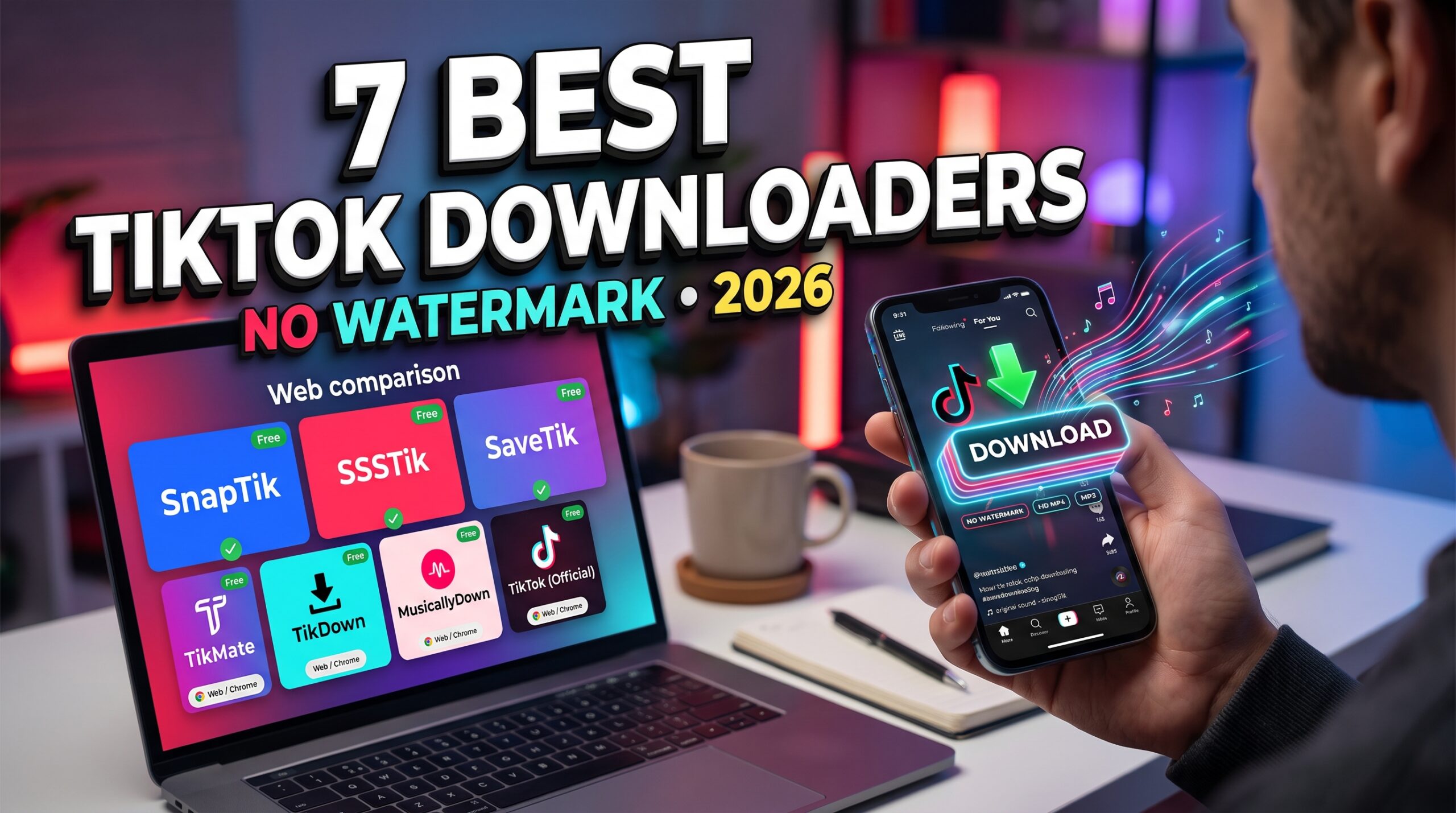
The best free online tools for saving TikTok content in 2026 include SnapTik, SSSTik, SaveTik, TikMate, and other browser-based downloaders. These services let users save supported public TikTok videos without installing a dedicated application, while some also advertise watermark-free downloads, audio extraction, and slideshow support.
The right tool depends on what you want to save. If you need a quick MP4 download, a simple browser-based service may be enough. If you want to extract audio, preserve HD quality, or save multiple videos, look for a tool that specifically supports those features.
In this guide, we compare seven options based on their advertised capabilities, ease of use, device compatibility, and cost. We also explain what to check before downloading, so you can choose a tool that fits your needs without compromising your privacy.
What to Look for in a Free TikTok Saving Tool
Not every TikTok downloader offers the same features. Before choosing one, consider these important factors.
1. Video Quality
Video quality should be one of your first considerations. Some services advertise HD or Full HD downloads, but the actual resolution depends on the original video and the source files available to the downloader.
If you want to save a video for editing or offline viewing, look for clear information about the available resolutions and formats.
2. Watermark-Free Downloads
Some online tools advertise downloads without the TikTok watermark. This can be useful when saving your own videos for editing or keeping an authorized copy for personal use.
However, removing a watermark does not remove copyright protection or give you permission to republish someone else’s content.
3. Audio Extraction
If you only need the sound from a video, an MP3 extraction feature can save time and storage space. Some tools offer audio-only downloads, although supported formats and quality can vary.
For music, voice recordings, and other copyrighted audio, make sure you have the necessary rights for your intended use.
4. Ease of Use
A good browser-based downloader should have a straightforward workflow: copy a TikTok link, paste it into the tool, select an available format, and save the file.
Avoid services that introduce unnecessary steps, request your TikTok password, or use misleading download buttons.
5. Device Compatibility
Online tools can be especially convenient because they may work on Android, iPhone, Windows, and macOS through a browser. This means you do not necessarily need to install a separate application.
Check whether the service works with your browser and whether downloaded files are compatible with your device.
6. Privacy and Security
Free services may rely on advertising or process submitted links through their own servers. Read the privacy policy, avoid suspicious redirects, and never provide account credentials to a third-party downloader.
Browser-based access is convenient, but it does not automatically mean that all processing happens locally on your device.
7 Best Free Online Tools for Saving TikTok Content
The following options are worth comparing. Features listed here reflect the providers’ advertised capabilities and may change. Video quality, watermark removal, and audio availability are not guaranteed for every post.
1. SnapTik — Best for Quick Video Downloads
SnapTik is a browser-based TikTok downloader that advertises watermark-free video downloads. Its online workflow is designed for users who want to save supported videos without installing an application.
Depending on the service version and source video, additional options may include audio extraction or saving TikTok photo slideshows.
Key features
- Watermark-free video downloads advertised by the provider.
- MP4 downloads for supported videos.
- Browser access on mobile and desktop.
- Audio and slideshow features where available.
- No mandatory account for basic online use.
Video quality: Depends on the source and available download options.
Ease of use: Simple link-based workflow.
Compatibility: Android, iPhone, Windows, and macOS through a supported browser.
Cost: Free online access, subject to the provider’s current terms.
Pros
- No dedicated application required.
- Convenient for individual downloads.
- Easy to use across different devices.
Cons
- Advertisements may affect the experience.
- Some links may not process successfully.
- Available formats can change.
Best for: Casual users who want to save a supported public TikTok video quickly.
Explore SnapTik for its currently advertised features.
2. SSSTik — Best for Video and Audio Options
SSSTik is another browser-based service that advertises TikTok video downloads without watermarks. It is worth considering if you want a simple workflow for saving videos and, where supported, extracting audio.
Because the tool works online, you can use it without installing a dedicated downloader.
Key features
- Watermark-free downloads advertised by the provider.
- MP4 video downloads.
- MP3 audio extraction where supported.
- Mobile and desktop browser access.
- No mandatory account for basic use.
Video quality: Varies with the original content and available output options.
Ease of use: Beginner-friendly.
Compatibility: Modern mobile and desktop browsers.
Cost: Free online service.
Pros
- Convenient for occasional downloads.
- Supports video and audio workflows.
- No application installation required.
Cons
- Advertising may be present.
- Some videos may be unavailable.
- Output quality depends on the source and processing method.
Best for: Users who want to compare video and audio download options in one browser-based tool.
Visit SSSTik to review its current features.
3. SaveTik — Best for a Simple Browser Experience
SaveTik provides an online option for saving supported TikTok videos. Like other browser-based downloaders, it allows users to submit a video link and access the available download options without installing a dedicated application.
Its appeal is simplicity: users who only need occasional downloads may not require a more advanced media manager.
Key features
- Online video processing.
- Watermark-free downloads advertised by the service.
- Browser access on compatible devices.
- No mandatory application installation.
Video quality: Depends on the original video and the options offered by the service.
Ease of use: Simple.
Compatibility: Mobile and desktop browsers.
Cost: Check the provider’s current terms for available free features.
Pros
- Straightforward workflow.
- Useful as an alternative to other online downloaders.
- No dedicated application required.
Cons
- Supported formats may vary.
- Reliability can differ between links.
- Privacy practices should be reviewed before use.
Best for: Users who want a straightforward alternative for saving supported public videos.
Check SaveTik for its current offering.
4. TikMate — Best as an Alternative Online Downloader
TikMate is a name associated with browser-based TikTok downloading services. Depending on the exact website, available features may include video downloads and watermark-free output.
Because similarly named services may use different domains and have different operators, verify the website carefully before submitting any link.
Key features
- Browser-based downloading.
- Watermark-free output advertised by some versions.
- Mobile and desktop browser support.
- No dedicated app required for browser-based use.
Video quality: Depends on the service and source.
Ease of use: Generally simple.
Compatibility: Supported mobile and desktop browsers.
Cost: Depends on the provider’s current terms.
Pros
- An alternative when another service is unavailable.
- No app installation for online versions.
- Suitable for occasional use.
Cons
- Features may differ across similarly named websites.
- Advertising and privacy practices require checking.
- No universal guarantee of HD output.
Best for: Users who want to compare another browser-based option.
Before using a TikMate-branded service, confirm its exact domain, privacy policy, and current capabilities.
5. TikDown — Best for Another Quick Online Option
TikDown is another name used by online TikTok downloading services. Depending on the particular provider, users may be able to process supported TikTok links and save available video files.
As with any third-party downloader, confirm the website’s identity and check its feature claims rather than assuming every version offers the same functions.
Key features
- Online video download workflow.
- Video format options where supported.
- Mobile and desktop browser access.
- No application required for browser-based services.
Video quality: Determined by the available source and service.
Ease of use: Typically simple for supported links.
Compatibility: Depends on the selected website.
Cost: Check the provider’s current pricing and limits.
Pros
- Another option to compare.
- Browser-based access can reduce setup.
- Useful for occasional downloads.
Cons
- The name may refer to different services.
- Watermark removal and MP3 support require verification.
- Supported links and quality may vary.
Best for: Users who want to evaluate alternatives when their preferred downloader is unavailable.
6. MusicallyDown — Best for a Traditional Link-Based Workflow
MusicallyDown is a name associated with online TikTok video downloading. Its appeal is the familiar browser-based approach: users submit a supported link and select an available download option.
Before using it, verify the current domain and inspect the options actually displayed. Third-party downloader services can change features, availability, and ownership over time.
Key features
- Link-based online workflow.
- Video downloads for supported posts.
- Browser access without a dedicated app.
- Output options depending on the service version.
Video quality: Depends on the source and current service.
Ease of use: Simple when the link is supported.
Compatibility: Compatible browsers on supported devices.
Cost: Check the current service terms.
Pros
- Familiar workflow.
- No dedicated app required.
- Can be compared with other browser-based services.
Cons
- Current features should be verified.
- Watermark-free output is not guaranteed for every link.
- Privacy and advertising practices may vary.
Best for: Users comparing several online services before choosing one.
7. TikTok’s Built-In Download Feature — Best Official Method
TikTok provides an official way to save certain videos directly through its application when the creator’s settings allow downloads.
Although it may not satisfy the requirement for a watermark-free file, it is a useful option for users who want to avoid third-party services.
Key features
- Official TikTok functionality.
- Direct saving when downloads are enabled.
- No third-party downloader needed.
- Simple in-app workflow.
Video quality: Depends on the available official download.
Ease of use: Very easy.
Compatibility: Supported versions of the TikTok application.
Cost: Free.
Pros
- No external downloader required.
- Familiar and straightforward.
- Respects the platform’s download settings.
Cons
- Not every video can be saved.
- Watermark-free output is not guaranteed.
- Fewer format choices than specialized services.
Best for: Users who prefer the official method and do not require watermark removal.
For details, consult the TikTok Help Center.
Comparison Table: Best Free TikTok Saving Tools
| Tool | Browser-based | Watermark-free option | Audio extraction | Cost |
|---|---|---|---|---|
| SnapTik | Yes | Advertised | Depends on current options | Free |
| SSSTik | Yes | Advertised | Advertised | Free |
| SaveTik | Yes | Advertised | Verify current features | Check terms |
| TikMate | Yes, for online versions | Depends on provider | Verify current features | Check terms |
| TikDown | Yes, for online versions | Verify current features | Verify current features | Check terms |
| MusicallyDown | Yes, for online versions | Verify current features | Verify current features | Check terms |
| TikTok built-in download | No third-party site needed | Not guaranteed | No standard MP3 extraction | Free |
This is a feature-oriented comparison, not a verified speed benchmark. Confirm the selected service’s current features before downloading.
How to Save TikTok Content Online
Most online downloaders use a similar process.
Step 1: Copy the TikTok link
Open a public TikTok post you own or have permission to save. Select Share, then choose Copy link.
Step 2: Open an online downloader
Visit a service you have checked and trust. Make sure the domain is correct and the site does not ask for your TikTok password.
Step 3: Paste the link
Enter the copied URL into the downloader’s input field and start processing.
Step 4: Choose a format
If multiple options are available, select the MP4 video or supported audio format that meets your needs. Check the displayed resolution before downloading.
Step 5: Save the file
Follow the browser’s download prompt. On mobile, you can usually find the file in the Downloads folder or the device’s file manager.
If a link fails, the video may be private, deleted, restricted, or unsupported by the service.
Can You Save TikTok Videos in 1080p Without a Watermark?
Some third-party downloaders advertise watermark-free downloads at up to 1080p. However, the actual result depends on the source video, the downloader’s access to the available media, and its processing method.
Keep these points in mind:
- 1080p is a maximum claim, not a guarantee. Not every source video is available in Full HD.
- Removing a watermark does not improve resolution. A clean-looking file may still have been compressed.
- Audio quality is separate from video quality. MP3 bitrate options, when available, depend on the service’s audio-processing capabilities.
If you need a high-quality file for editing, check the downloaded video’s actual resolution and playback quality rather than relying solely on the service’s headline claims.
Are Free Online TikTok Downloaders Safe?
Some are convenient, but you should not assume every downloader is safe simply because it works in a browser.
Use these precautions:
- Never provide your TikTok password to a third-party downloader.
- Avoid suspicious pop-ups and fake download buttons.
- Do not install unknown software or browser extensions just to save a video.
- Review the website’s privacy policy and data-retention practices.
- Avoid submitting sensitive or private content to services you do not trust.
For the safest experience, use the official TikTok download option when it meets your needs. If you choose a third-party tool, check its identity and current practices before using it.
Is It Legal to Save TikTok Content Without a Watermark?
The answer depends on the content, your intended use, the permissions you have, and applicable law.
Saving your own video for backup is different from republishing another creator’s video or using copyrighted music in a commercial project. A watermark-free download does not transfer ownership or remove copyright restrictions.
Before reposting or commercially using a video, obtain the necessary permissions and review the relevant platform policies. TikTok’s Copyright Policy provides additional information about copyrighted content.
Frequently Asked Questions
What are the best free online tools for saving TikTok content?
SnapTik, SSSTik, and SaveTik are browser-based options worth comparing for supported public TikTok videos. Other services may also be available, but their features, domains, and privacy practices should be checked before use.
Can I save TikTok videos without installing an app?
Yes. Browser-based downloaders let you submit supported TikTok links without installing a dedicated application. The available download formats depend on the service and video.
Which TikTok downloader provides the best video quality?
There is no single downloader that guarantees the highest quality for every post. Choose a service that clearly displays available resolutions, and remember that the original source limits the maximum quality.
Can I extract MP3 audio from TikTok videos?
Some third-party downloaders advertise MP3 extraction. Availability and bitrate options vary. Make sure you have the appropriate rights to save and use the audio.
Are free TikTok saving tools available for iPhone and Android?
Yes. Browser-based services can work on supported mobile browsers, including Safari and Chrome. Dedicated Android downloaders are another option, but they require installation and may have different compatibility limitations.
Do I need an account to use a TikTok downloader?
Many browser-based services advertise basic downloading without registration. Avoid any service that requests your TikTok login credentials for ordinary public-video downloads.
Can I download private TikTok videos?
Third-party public-link downloaders generally cannot access private or restricted videos. Respect privacy settings and do not attempt to bypass access controls.
Can I repost a video after removing its watermark?
Not automatically. Downloading a video or removing its watermark does not give you permission to redistribute it. Obtain the necessary authorization and follow applicable copyright rules.
Final Verdict: Which Free TikTok Saving Tool Should You Choose?
The best free online tool for saving TikTok content depends on your priorities.
For a quick browser-based download, SnapTik and SSSTik are reasonable starting points. SaveTik offers another alternative, while TikMate, TikDown, and MusicallyDown are options to evaluate after checking their current features. TikTok’s built-in download feature is preferable when you want to use the official method and do not need a watermark-free file.
Before choosing, compare video quality, available audio formats, device compatibility, privacy, and any limitations on free use. No single service guarantees that every video will be downloadable in every format.
Ultimately, a useful TikTok saving tool should make the process straightforward, explain its limitations clearly, and respect creators’ rights. Choose the option that meets your requirements without unnecessary installation, account registration, or security risks.
Leave a Reply