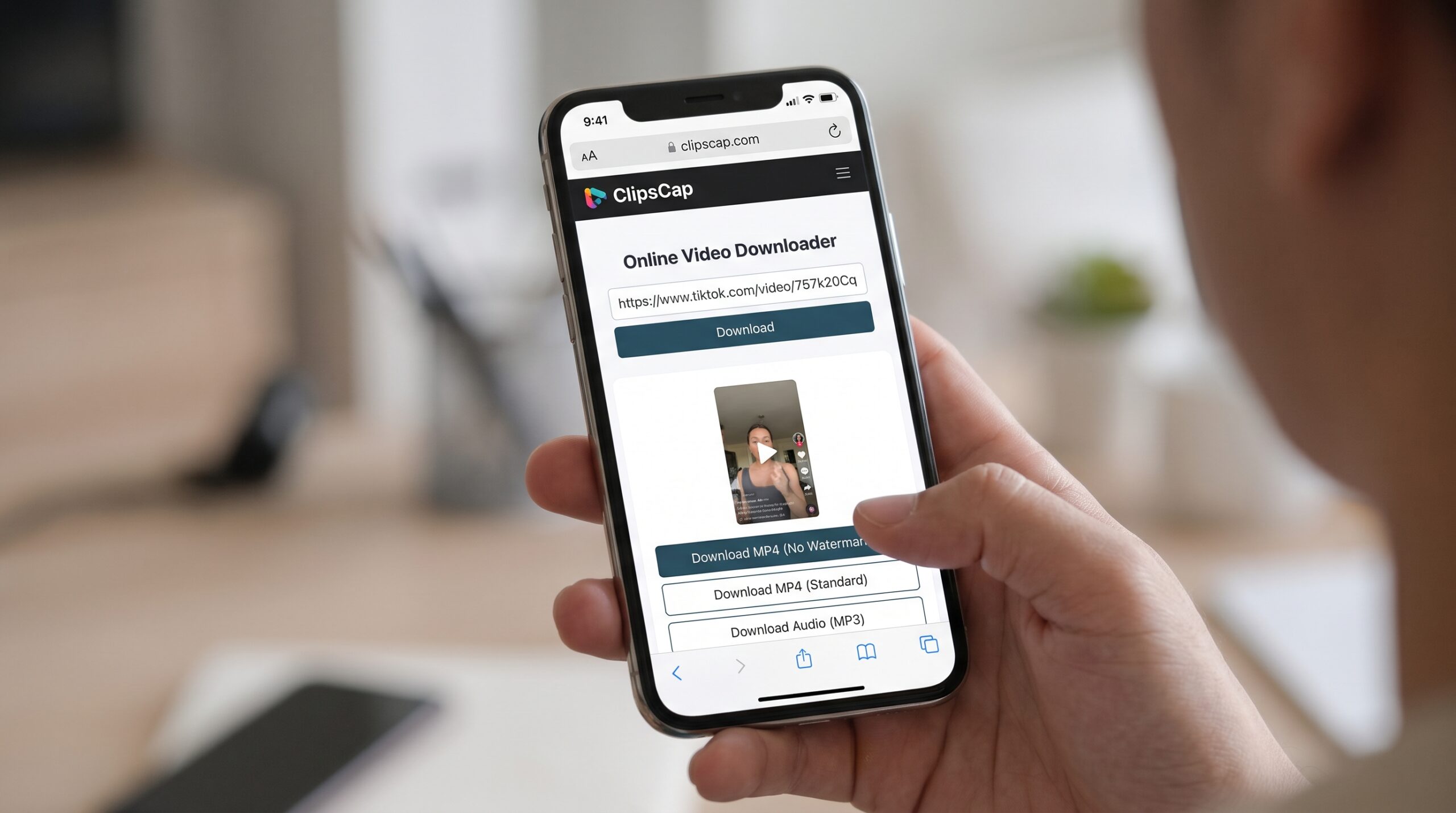
Want to save a TikTok video to your phone or computer? A TikTok video downloader lets you save supported videos using a link, so you can watch them offline, keep a copy of your own content, or use them in projects where you have permission.
The process is usually simple: copy the TikTok video link, paste it into an online downloader, choose an available download option, and save the file. Many browser-based tools work without installing an app, making them convenient for beginners.
In this guide, you’ll learn how TikTok downloaders work, which features matter most, and how to download a video in under a minute when the service and video are supported.
What Is a TikTok Video Downloader?
A TikTok video downloader is an online service or application that helps users save video files from supported TikTok links.
Instead of recording your screen, you provide the link to a video and let the tool process it. Depending on the service, you may be able to download a video in MP4 format, select a resolution, or choose an available version without the TikTok watermark.
There are two common types:
- Online TikTok downloaders: Work through a browser such as Chrome, Safari, or Edge.
- Downloader apps: Require you to install software on a phone or computer.
For occasional downloads, a browser-based tool is often the more convenient choice because it doesn’t require another app.
What to Look for in a Good TikTok Video Downloader
Not all downloaders offer the same features. Before choosing one, consider these five factors.
1. Watermark-Free Downloads
If you want a clean copy of a video, check whether the service explicitly offers a version without the visible TikTok watermark.
Some tools return the standard video, which may still contain the TikTok logo and username. A download button alone doesn’t guarantee a watermark-free result.
2. HD Video Quality
Look for clear information about the available resolution. Some services offer multiple options, while others provide only one file.
Don’t assume every video is available in 1080p or that choosing an HD option guarantees the original quality. The output depends on the source video and the service.
3. No Login Required
For a straightforward download, you generally shouldn’t need to provide your TikTok password to a third-party website.
A tool that works from a video URL without requiring a social account can reduce friction and avoid unnecessary requests for personal information.
4. No App Installation
A browser-based downloader lets you work directly from a website. This is useful if you’re using a shared computer, have limited phone storage, or simply don’t want to install another app.
5. A Simple, Safe Interface
A reliable tool should make its next step obvious. Look for a clear link field, straightforward download options, and minimal requests for permissions or personal data.
Avoid suspicious pop-ups, forced APK installations, and buttons that redirect you to unrelated websites.
How to Use a TikTok Video Downloader in Under a Minute
For beginners, the easiest approach is to use an online tool that supports your TikTok link.
Step 1: Open TikTok and Find a Video
Open TikTok on your phone or visit its website on your computer. Find the public video you want to save.
Only download videos you own or have permission to use.
Step 2: Copy the Video Link
In the TikTok app:
- Open the video.
- Tap Share.
- Select Copy link.
On a computer, copy the video URL from your browser’s address bar or use the available sharing option.
The link is now ready to paste into a downloader.
Step 3: Open ClipsCap
Open ClipsCap in your browser and look for the relevant video download tool.
ClipsCap is designed around an online video workflow, so a compatible tool can be accessed directly through a browser without installing a separate desktop application.
Before proceeding, confirm that the current ClipsCap interface supports TikTok links and provides the download options you need.
Step 4: Paste the TikTok Link
Find the URL input field on the downloader page and paste the copied link.
Check that the URL is complete, then click the processing or download button shown on the page.
The service will attempt to retrieve the video and display the available results.
Step 5: Choose a Download Option
If the tool supports the video, review the available file options.
Depending on the service, these may include:
- A standard MP4 video.
- A version without the visible watermark.
- Different available resolutions.
- An audio-only option, if supported.
Choose the option that matches your needs. If a watermark-free version or a particular resolution isn’t offered, don’t assume it is available.
Step 6: Save and Check the Video
Click the appropriate download option and wait for the file to finish saving.
On Android, check your browser’s Downloads list or the Downloads folder. On an iPhone, check the Files app. On a computer, look in your browser’s default download folder.
Finally, play the file to confirm that the video and audio work correctly.
That’s it: when the video and tool are supported, the process can take less than a minute.
Why Use a Browser-Based TikTok Video Downloader?
An online downloader can be more convenient than a dedicated app for several reasons.
No installation: You can access the service from a compatible browser.
Works across devices: A browser-based workflow may be available on Android, iPhone, Windows, and macOS.
Quick link-based process: You don’t need to search for the video manually inside another application after copying its URL.
Fewer setup steps: If the service doesn’t require an account, you can skip registration and go straight to the supported workflow.
ClipsCap is worth exploring if you prefer an online interface. Visit ClipsCap to check the current tools and available features before starting a download.
Online TikTok Downloader vs. Downloader App
| Feature | Online downloader | Downloader app |
|---|---|---|
| Installation | Usually not required | Required |
| Setup | Open a website | Install and configure the app |
| Device compatibility | Depends on browser and service | Depends on operating system |
| Storage requirements | No dedicated app storage | App uses device storage |
| Privacy considerations | Check the website’s policies | Check permissions and developer reputation |
| Download options | Vary by service | Vary by app |
For someone who only downloads videos occasionally, an online service is often the easiest starting point. If you regularly manage large numbers of files, a dedicated application may offer additional controls.
Can You Download TikTok Videos Without a Watermark?
Sometimes. Certain downloaders offer a watermark-free version of supported videos, while others provide only the standard TikTok file.
The result depends on the available source and the tool’s capabilities. If you want a clean copy of your own video, the original file from your phone or editing app may provide the best quality.
Keep in mind that removing a watermark doesn’t give you ownership of someone else’s content or permission to repost it without authorization.
Is It Safe to Use a TikTok Video Downloader?
A few basic precautions can help you avoid unnecessary risks.
- Never enter your TikTok password into an unrelated downloader.
- Avoid installing unknown APK files just to save a video.
- Don’t grant permissions that aren’t necessary for downloading a file.
- Close suspicious pop-ups and avoid misleading download buttons.
- Check the service’s privacy policy before uploading files or sharing personal information.
- Download and reuse videos only when you have the appropriate rights.
A website that works in a browser isn’t automatically safe. Use your judgment and verify the downloaded file before opening or sharing it.
Troubleshooting: When a TikTok Downloader Doesn’t Work
The Video Link Is Invalid
Return to the original TikTok post and copy the link again. Some services may not support every link format.
The Downloader Cannot Find the Video
The post may be private, deleted, restricted, or unsupported by the service. Try a different publicly accessible video to determine whether the issue is specific to that post.
The Download Still Has a Watermark
Check whether the service offers a separate watermark-free option. Some downloaders provide only the standard video file.
The Video Quality Is Poor
The available quality depends on the source and the service. Check whether another resolution is offered, and avoid assuming that every TikTok video can be downloaded in HD.
The File Doesn’t Appear on Your Phone
Check the browser’s Downloads list and your device’s Downloads folder. On iPhone, the file may be in the Files app rather than the Photos library.
The Website Keeps Opening New Tabs
Close the unexpected tabs and avoid clicking suspicious advertisements. A straightforward downloader should not require you to install unrelated software or provide your account password.
Frequently Asked Questions
How do I use a TikTok video downloader?
Copy a TikTok video link, open a compatible online downloader, paste the link, select an available download option, and save the file to your device.
What is the easiest way to download TikTok videos?
For occasional downloads, a browser-based tool is often the easiest option because you can use it without installing a dedicated app. The process still depends on whether the tool supports the video.
Can I download TikTok videos for free?
Some online downloaders offer free downloads. Features, usage limits, advertisements, and available formats vary, so check the service’s current terms.
Can I download TikTok videos without logging in?
Many browser-based services allow supported links to be processed without creating an account. You should not need to give a third-party downloader your TikTok password.
Can I download TikTok videos in HD?
Some tools offer HD options, but the available resolution depends on the source and the downloader. Check the actual options shown before downloading.
Does every TikTok video downloader remove watermarks?
No. Some tools return videos with the standard TikTok watermark, while others offer a watermark-free option for supported videos.
Does ClipsCap work as a TikTok video downloader?
Check the current ClipsCap website for its available TikTok features. The exact download options and supported links should be confirmed on the tool page before relying on a particular capability.
Where are downloaded TikTok videos saved?
On Android, check the browser’s Downloads list or the Downloads folder. On iPhone, check the Files app. On a computer, check your browser’s default download location.
Final Thoughts
Using a TikTok video downloader doesn’t have to be complicated. Copy the link, paste it into a compatible online tool, select an available format, and save the video.
For the simplest experience, start with a browser-based service rather than installing unfamiliar software. ClipsCap is a useful starting point for exploring online video tools; check its current TikTok support and download options at ClipsCap.
Before sharing a downloaded video, confirm that you have permission to use it, check the file quality, and respect the original creator’s rights.
Leave a Reply